Appointments
Appointments
One diary for grooming, boarding, daycare and the vet room, with reminders that go out on their own and a calendar invite the customer can actually add.
Used daily by · Front desk, and anyone who takes a booking
What Appointments does
“Can you fit us in Saturday?” Your desk answers that in five seconds instead of checking three places and ringing back. Everything books into the same diary, and the software refuses to put one person in two places at once — not as a warning nobody reads, but as a rule the database enforces.
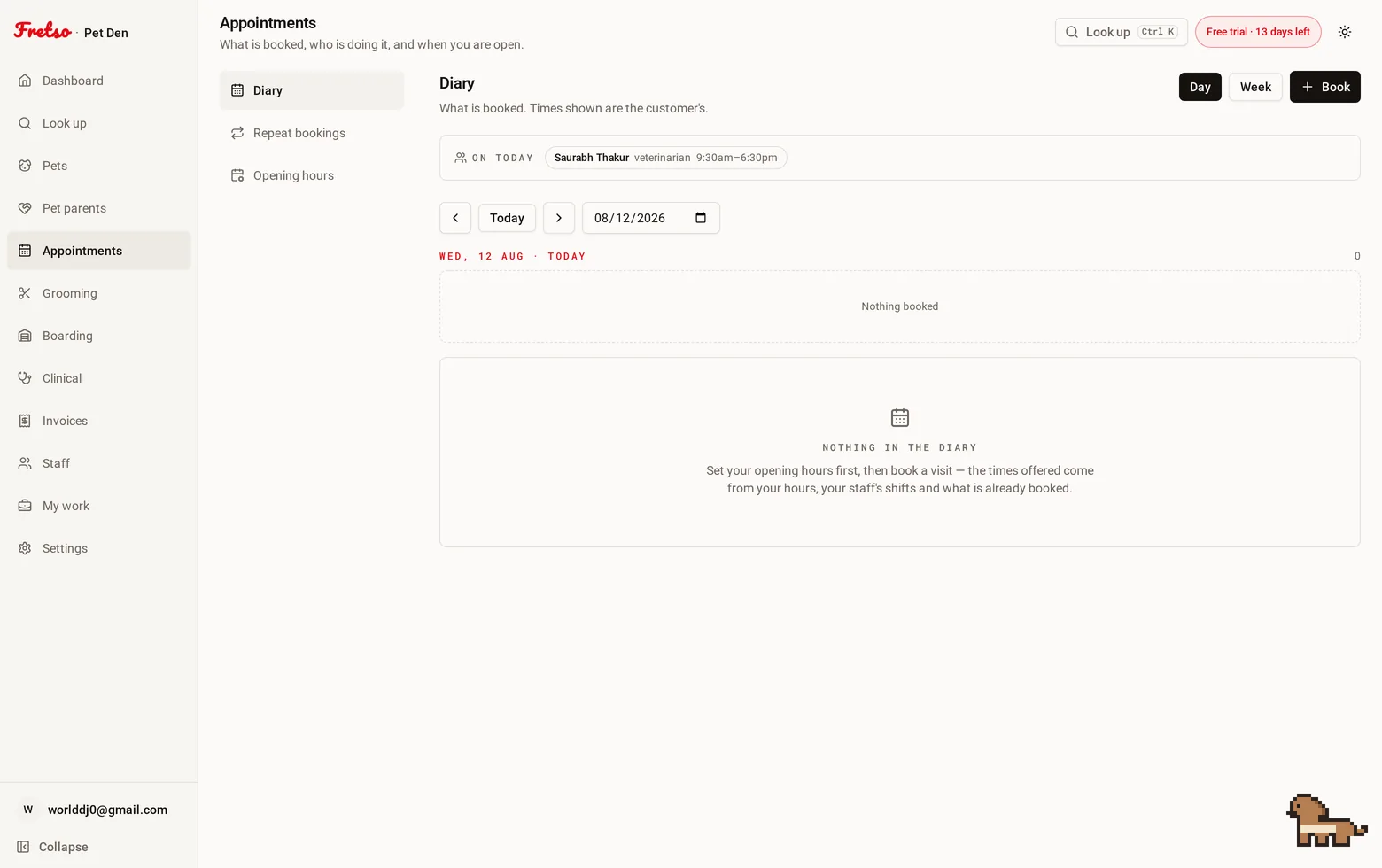
A real screen from Fretso
Capabilities
Inside Appointments
01
One diary, every service
Grooming, boarding, daycare and consultations share it. Book the dog in for a groom and a nail trim and it is one visit, not two.
02
Only offers times that exist
Slots come from your opening hours, your closures, and who is actually rostered on. It won't offer three o'clock on a day your only groomer is on leave.
03
Nobody is double-booked. Ever.
Not 'we try not to' — the database physically will not store two overlapping bookings for the same person. Two receptionists on two screens can't beat it.
04
Every Tuesday, sorted
Weekly, fortnightly, monthly. Set it once and the diary fills itself, with the option to move or cancel a single one without touching the rest.
05
Reminders that go by themselves
A confirmation when they book and a nudge the day before, in your words, sent inside the hours you choose. Nobody's phone goes off at six in the morning.
06
Add to calendar, properly
Every confirmation carries a real calendar file and a Google link. It lands in their phone calendar instead of a screenshot they will never find again.
07
Check in opens the work
Check a grooming appointment in and the ticket is already there with the services on it, priced. Boarding opens the stay. Nothing is typed twice.
The flow
How a day runs in Appointments
- 01
Take the booking against a real free slot
- 02
The confirmation goes out with a calendar invite attached
- 03
A reminder goes the day before, in your words, inside your hours
- 04
They arrive, you check them in, and the groom ticket or the stay is already open
- 05
Finish the work and the invoice is a button, not a retype
Guides on this
How many kennels do I need for a boarding business
Most kennels are built to a guess and then run at 50% for ten months of the year. Here is the arithmetic to do first.
Boarding kennel and daycare owners · 9 min read
How to stop double booking a groomer
A shared calendar will happily book two dogs onto the same groomer at 11am. Here is why, and what stops it.
Grooming salon owners and managers · 8 min read
A week in a pet business, screen by screen
The ordinary week, in order: who is in the building, what has to happen to them, and who owes what by Friday.
Owners and managers · 12 min read
The hidden cost of no-shows in grooming salons and vet clinics
Put a number on the empty slot, then fix it with deposits, reminder timing and a rebooking habit.
Salon owners, clinic managers · 8 min read
Works with
Look up
One search box that takes a pet's name, the owner's name, a phone number, a microchip or any reference — and puts that animal's whole history on one screen.
Grooming
A board of who is in, who is on the table and who is ready, with prices that already know the breed, photos on the file, and commission that adds itself up.
Boarding & daycare
Every stay against a real kennel, an occupancy board that cannot lie, a daily care log the owner would be glad to read, and the extras billed instead of forgotten.
Next step
Want to see Appointments on your own workflow?
Twenty minutes on the real software, walked through the way you actually work. No slide deck, and nobody chases you afterwards.